
Supercharging iOS Workflows: How Apple Intelligence Transforms iPhone Shortcuts

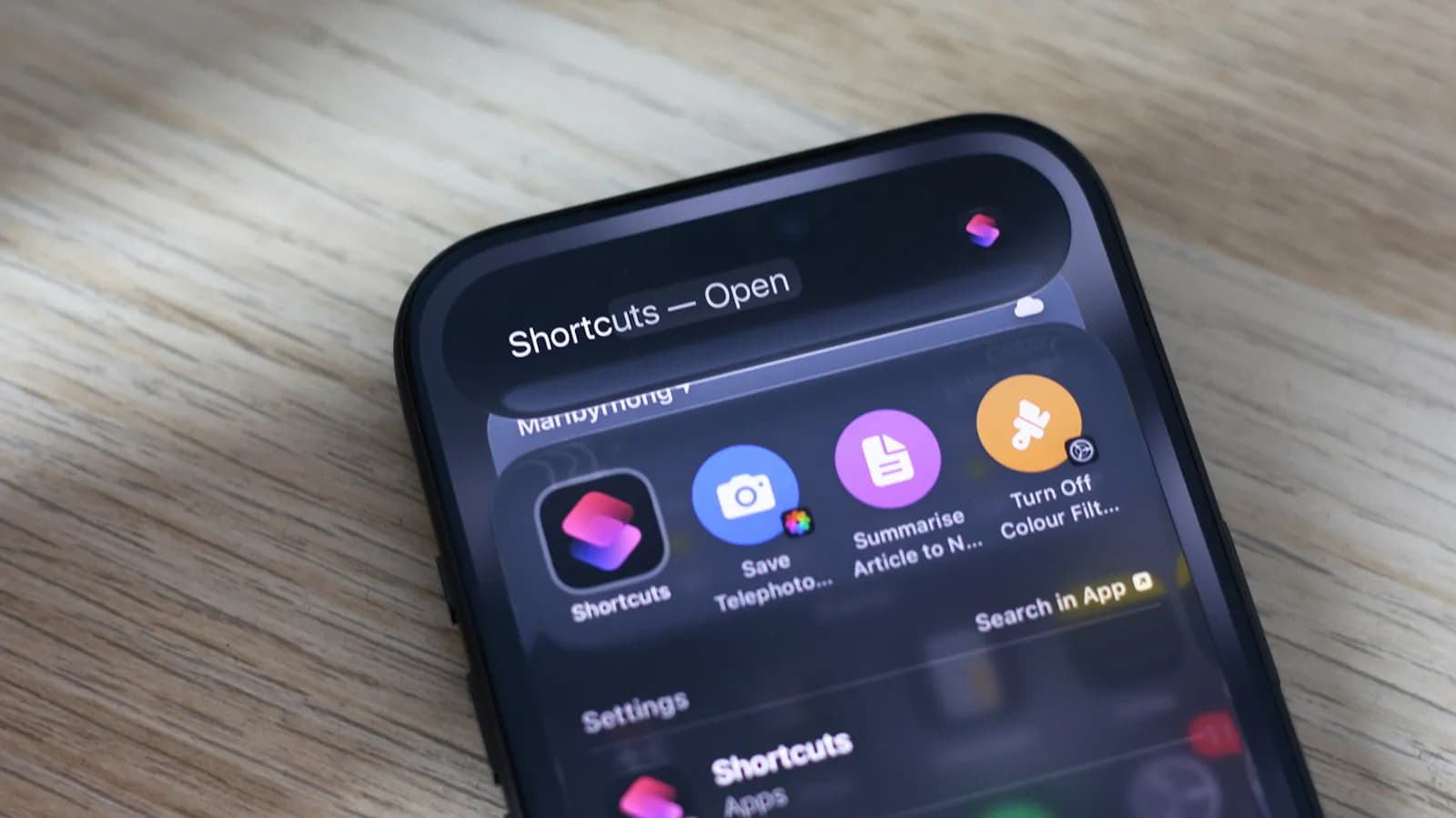
The Convergence of Scripted Automation and On-Device AI
For years, Apple’s Shortcuts framework has occupied a unique niche within iOS: an under-the-hood scripting engine capable of orchestrating complex cross-application actions, yet accessible enough for everyday tinkerers. Power users have leveraged Shortcuts to manipulate media, manage notifications, scrape web endpoints, and batch-process files across iOS, iPadOS, and macOS. Despite its versatility, traditional automation was bound by rigid, deterministic rules. An action either matched an exact condition or failed completely, requiring intricate conditional blocks and manual text parsing to handle edge cases.
The arrival of Apple Intelligence fundamentally changes this formula. By introducing generative foundation models and semantic understanding directly into the operating system's execution pipeline, Apple is transforming Shortcuts from a purely procedural script runner into an intelligent agent runtime. Users are no longer limited to string manipulation, regex patterns, or static inputs; instead, natural language reasoning and contextual intelligence can now sit directly in the middle of an automated mobile chain.
Building Shortcuts with Apple Intelligence Actions
Integrating Apple Intelligence capabilities into your custom Shortcuts requires an understanding of how Apple exposes its machine learning primitives within the Shortcuts action directory. Rather than forcing users to manage third-party API keys or run external webhooks through commercial LLM services, iOS natively injects system-level AI tools into the shortcut builder. These include advanced summarization blocks, dynamic tone-rewriting utilities, semantic text classification, and smart audio-to-text pipeline connections.
Creating an AI-driven workflow begins in the standard Shortcuts app. Users can construct a routine where input text—harvested from the clipboard, an incoming email, a Safari webpage, or a voice memo—is piped into an Apple Intelligence action. For instance, a single block can distill a multi-page article into three key bullet points, identify actionable calendar events embedded in the text, and feed those events directly into the native Calendar or Reminders APIs without requiring brittle string parsing. When these tools execute cleanly, they bridge the long-standing divide between structured application programming interfaces and messy real-world unstructured data.
Why Semantic Processing Changes Mobile Productivity
The primary hurdle in mobile automation has always been the unpredictability of incoming data. A shortcut designed to parse flight confirmations, receipts, or project briefs often collapsed when an airline slightly modified its email template or a colleague wrote a note in an unconventional format. Traditional scripts lacked semantic tolerance; they demanded predictable delimiters and fixed formats.
Apple Intelligence injects resilience into these routines. Because modern foundation models understand intent and meaning rather than merely matching substrings, they can interpret context seamlessly. If a shortcut asks the AI engine to 'extract all action items assigned to me and format them as markdown checklist items,' the model interprets nuanced phrasing like 'could you take a look at this before Friday' as a task with a deadline. This dynamic interpretation unlocks a level of reliability and utility that purely programmatic Shortcuts could never achieve on their own.
Privacy-Preserving On-Device Intelligence
From an architectural standpoint, the most compelling aspect of Apple Intelligence within Shortcuts is its execution environment. Automation scripts often touch the most intimate facets of personal and professional digital lives: private correspondence, financial notifications, encrypted health data, and enterprise communications. Routing these data payloads to cloud-hosted third-party AI services often violates corporate compliance protocols or raises serious personal privacy concerns.
Apple’s dual approach—relying heavily on localized neural engine processing for standard tasks and routing heavy computational requests to Private Cloud Compute—alleviates many of these privacy bottlenecks. When a shortcut summarizes incoming customer feedback or drafts an automated response based on private calendar availability, the sensitive tokens largely remain contained within the device’s hardware enclave. This makes iOS a uniquely compelling platform for privacy-sensitive enterprise automation that enterprise IT departments might otherwise restrict.
The Current Limitations: Inconsistency and Edge Cases
While the promise of AI-driven shortcuts is immense, real-world execution still faces notable hurdles. As early adopters have observed, the paradigm shifts from deterministic programming to probabilistic outputs. When an automation runs on strict logic, a developer knows exactly how an if-else statement will evaluate. When a shortcut delegates intermediate processing to a generative model, the output can vary slightly between runs.
This non-deterministic behavior can occasionally break downstream actions. If a shortcut expects an AI block to output clean JSON or a strict comma-separated list, and the model instead wraps the response in conversational preamble or adjusts its output formatting unexpectedly, subsequent actions in the sequence may throw runtime errors. Mastering Shortcuts in the era of Apple Intelligence demands a defensive mindset: building validation checks, enforcing output formatting constraints, and testing routines across a wide spectrum of noisy inputs.
What This Means for App Developers and the Apple Ecosystem
For independent software vendors and mobile developers, Apple’s push into intelligent automation represents an evolution in how apps deliver value. With App Intents serving as the foundational language through which both Shortcuts and Siri interact with third-party software, applications are no longer just visual user interfaces; they are collections of callable capabilities.
Developers who optimize their App Intents to support Apple Intelligence parameters will find their apps plugged into users' automated daily routines without requiring users to launch the primary application UI. Whether it is an issue tracker, a personal finance app, or an audio editor, exposing fine-grained, semantically rich actions allows external workflows to leverage their backend services. The mobile operating system is transitioning into a modular execution canvas where user-defined logic, system intelligence, and developer services cooperate transparently.
Looking Ahead: The Evolution Toward Autonomous Agents
The integration of Apple Intelligence into the Shortcuts app is not an isolated feature update; it marks the foundation for true on-device autonomous agents. As personal context engines evolve, shortcuts will likely transition from user-triggered macros into ambient assistants that proactively suggest and execute multi-step operations based on user behavior and external triggers.
For developers, tinkerers, and productivity enthusiasts, exploring Apple Intelligence inside Shortcuts today provides a preview of the future of personal computing. While the technology currently has rough edges and occasional inconsistencies, mastering the interplay between structured logic and generative processing is quickly becoming a core competency for modern mobile power users.
Source: engadget.com