
Unlocking Glanceable Data: How Live Activities Expand Across iOS and CarPlay

The Evolution of Dynamic Interfaces on iOS
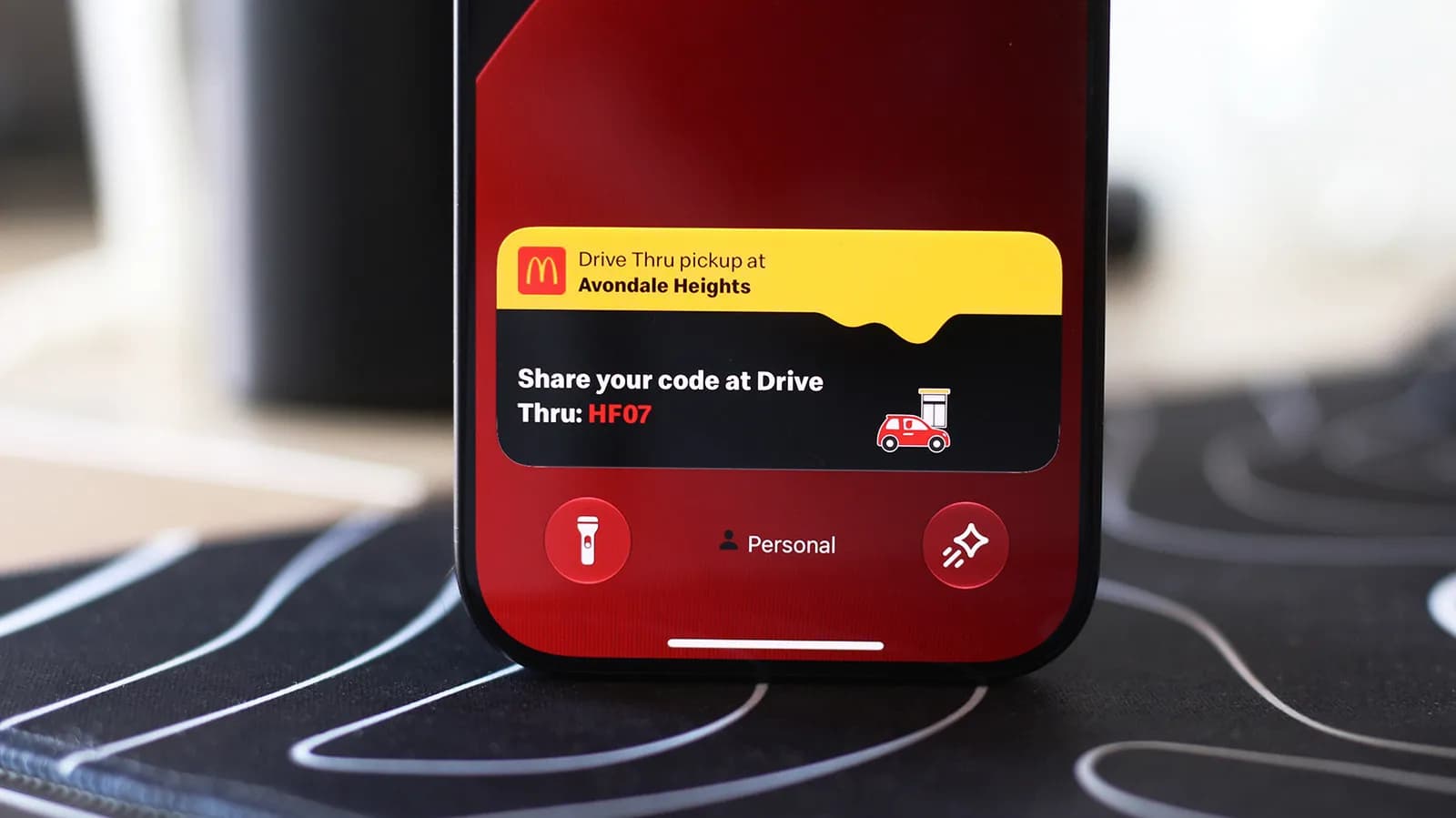
For years, mobile operating systems relied on standard push notifications to alert users to changing conditions. Whether tracking a food delivery order, monitoring an ongoing sports match, or following turn-by-turn navigation, users were bombarded with discrete banners that quickly cluttered notification centers. To address notification fatigue and provide persistent, at-a-glance information, Apple introduced Live Activities alongside ActivityKit. Instead of firing off repetitive, individual alerts, apps can now present a single, evolving widget directly on the iPhone Lock Screen and within the Dynamic Island.
As the ecosystem has matured, this paradigm has expanded beyond the handheld device into connected vehicle interfaces via Apple CarPlay. By bridging the gap between ambient screen spaces and real-time backend updates, Live Activities represent a fundamental shift in how mobile developers architect user engagement, moving from disruptive interruptions to continuous, ambient status updates.
Understanding ActivityKit and Real-Time State Management
Under the hood, Live Activities are driven by ActivityKit, a specialized framework designed to work seamlessly alongside SwiftUI and WidgetKit. Unlike standard widgets that refresh on predetermined timelines determined by system budget algorithms, Live Activities operate under a live push architecture. Developers define an activity's static configuration and a dynamic state model, allowing the interface to render instantaneous updates pushed via the Apple Push Notification service (APNs) or generated locally on the device.
This architecture requires developers to adopt strict state separation. The underlying payload for an activity update is intentionally kept lightweight—often under a few kilobytes—ensuring rapid delivery over cellular networks without draining battery life or exhausting system bandwidth. By relying on deterministic UI rendering through SwiftUI, the system ensures that changes in flight status, arrival times, or active workout metrics are reflected immediately across all supported hardware surfaces.
Extending the Experience: Bridging iPhone and CarPlay
The integration of Live Activities into CarPlay expands glanceable UI into safety-critical environments. Inside a vehicle, attention management is paramount, meaning visual elements must deliver maximum utility with minimal driver distraction. When configured properly, an active session running on an iPhone can mirror relevant, low-friction information directly to the car's in-dash display, maintaining consistency between environments.
For users, configuring these experiences involves verifying that system permissions, background app refresh, and Lock Screen settings allow persistent activity tracking. On the developer side, supporting multiple display targets means accounting for wildly varying screen resolutions, color depths, and viewing distances. A layout optimized for the pocketable Dynamic Island cannot simply be scaled up for a widescreen automotive console without careful visual restructuring.
Designing for Ambient and Glanceable Interactions
Building successful Live Activities demands a rigorous focus on interface design principles. Because these components inhabit shared system real estate, they must balance brand personality with system aesthetics. Overcrowding an activity with excessive text, high-frequency animations, or extraneous interactive controls quickly degrades usability.
- Concise Visual Hierarchy: Prioritize primary status metrics such as remaining time or distance, using progress bars and distinct typography rather than dense paragraphs.
- State Consistency: Ensure smooth transitions between pending, active, and completed states, handling network latency gracefully when external updates are delayed.
- Respecting Constraints: Adhere to strict system execution limits, as the OS will automatically terminate orphaned activities that exceed maximum active durations.
Engineering Challenges: Battery, Latency, and Network Resilience
While Live Activities offer an intuitive end-user experience, implementing them reliably introduces complex engineering tradeoffs. Delivering frequent live updates via APNs requires careful backend throttling. If a server sends continuous updates every few seconds, the device operating system may throttle incoming activity payloads to preserve battery life, leading to out-of-sequence or stale data displays.
Furthermore, mobile engineers must account for sporadic connectivity loss. A user entering a subway tunnel or driving through an area with weak cellular reception shouldn't see a broken interface. Software architects often implement local client-side timers or predictive countdowns that bridge transient network dead zones, synchronizing state with the server once connectivity resumes. Ensuring deterministic data reconciliation between push payloads and local calculations remains one of the trickiest aspects of building enterprise-grade tracking systems.
The Broader Impact on Mobile Software Architecture
The proliferation of Live Activities across phones, wearables, and in-car infotainment screens highlights a broader shift toward ambient computing. Modern software design is increasingly measured by how effortlessly it delivers contextual value rather than how many minutes it traps a user inside a foreground application. By surfacing actionable data at the exact moment and place it is needed, developers reduce app-switching overhead and build stronger user trust.
Looking ahead, as automotive platforms become more software-defined and connected devices proliferate, cross-surface state synchronization will become a standard requirement for mobile engineering teams. Teams that invest in decoupled, modular state architectures today will find it significantly easier to deploy real-time interactions across whatever new screens emerge tomorrow.
Source: engadget.com