
MagSafe Versus USB-C: The Modern MacBook Power Struggle

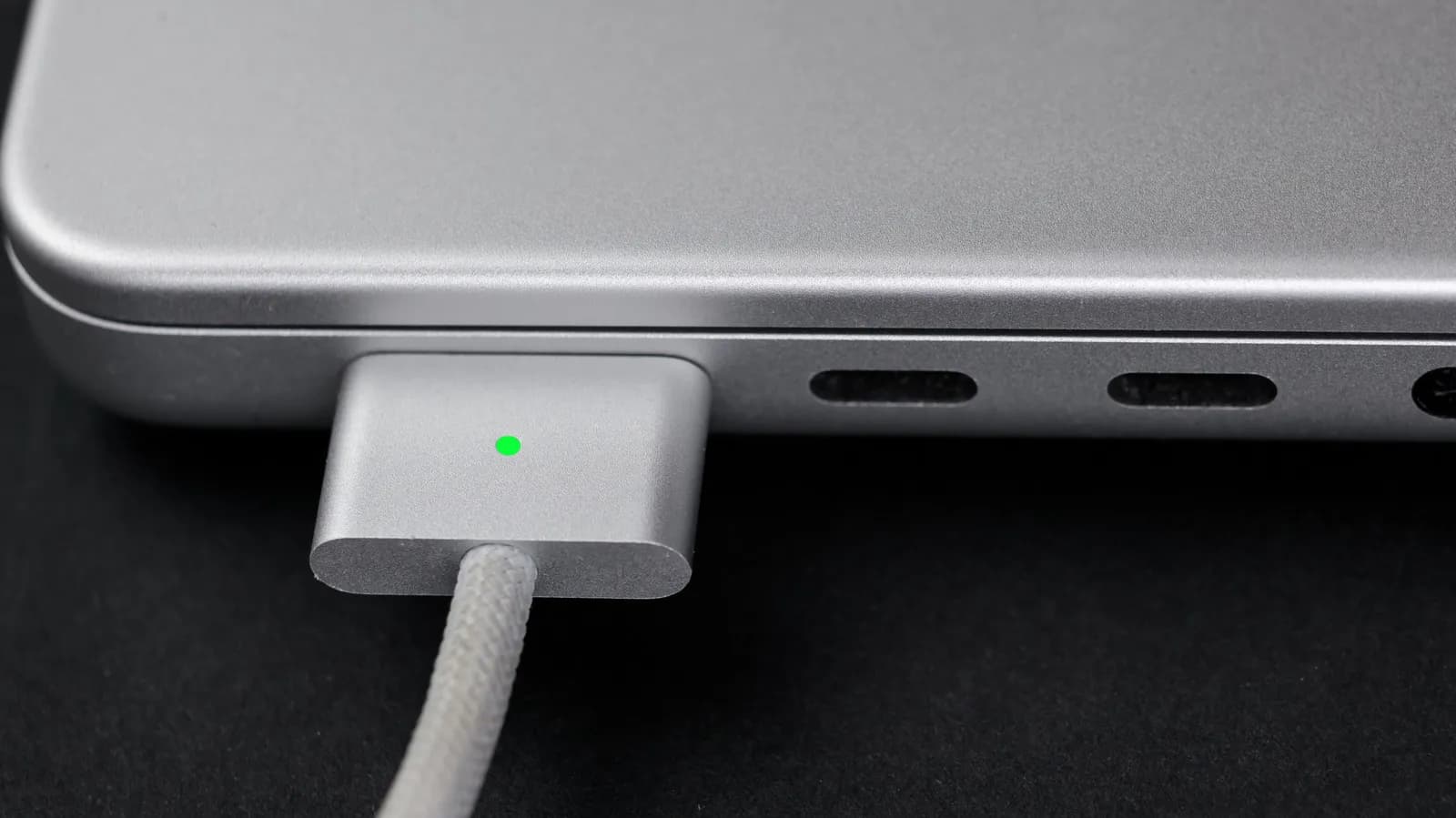
The Evolution of MacBook Power Delivery
For years, laptop charging was a straightforward yet proprietary affair, dominated by barrel jacks and custom connectors unique to every manufacturer. Apple’s introduction of the MagSafe connector changed the conversation entirely by prioritizing user safety and hardware longevity through a magnetic breakaway design. When USB-C and Power Delivery emerged as open industry standards, however, the computing landscape shifted toward universal compatibility, allowing a single cable to handle power, data, and video output simultaneously.
Today, Apple occupies a unique middle ground on many of its flagship laptops, shipping hardware that supports both magnetic proprietary charging and versatile USB-C inputs. This dual capability gives users a choice, but it also sparks endless debates among developers, travelers, and power users regarding which method reigns supreme for daily workflows. Evaluating these two options requires looking beyond simple convenience to examine hardware safety, port ecosystem constraints, and long-term device durability.
Understanding MagSafe: Safety Meets Specialization
The primary engineering triumph of MagSafe lies in its magnetic coupling, which instantly detaches when a cable experiences unexpected tension. In busy coffee shops, crowded open-plan offices, or cluttered home desks, this simple mechanism has saved countless laptops from catastrophic gravity-induced crashes. Beyond physical safety, modern iterations of MagSafe deliver high wattage efficiently, often exceeding standard USB-C Power Delivery limits on specific high-end laptop configurations to ensure rapid charging cycles.
Despite these clear advantages, MagSafe remains a single-purpose connection. It transfers electrical current exclusively, offering no data throughput or display-signal capabilities. Carrying a dedicated MagSafe cable means packing an extra wire in your travel bag if your power brick does not feature a detachable cable design. Furthermore, because it is tethered to Apple's proprietary hardware ecosystem, it lacks the cross-device interoperability that modern professionals have come to expect from their peripheral accessories.
The Universal Appeal of USB-C Power Delivery
USB-C has transformed consumer electronics by unifying charging, data synchronization, and external display connectivity into a single reversible port standard. For software engineers and digital creators who often dock their laptops to complex multi-monitor setups, USB-C simplifies desk cable management dramatically. A single tether can power the machine while simultaneously driving high-resolution displays, connecting to mechanical keyboards, and routing high-speed external storage arrays.
The ecosystem benefits of USB-C are profound, enabling users to charge their MacBooks using the same power adapter that fuels their smartphones, tablets, and wireless headphones. This interoperability reduces electronic waste and lightens travel loads significantly. However, standard USB-C cables lack a breakaway safety feature. Tripping over a tightly secured USB-C cable can drag an expensive portable computer off a table, transferring kinetic force directly into the internal logic board and potentially bending or damaging the physical port receptacle.
Developer and Power User Workflow Implications
For developers and technical professionals, the choice between MagSafe and USB-C often comes down to desktop ergonomics versus mobile resilience. Those who work primarily from stationary desks equipped with advanced Thunderbolt docks naturally lean toward USB-C or Thunderbolt cable connections. Docking stations streamline the transition from mobile workspace to desktop environment with minimal friction, keeping the machine constantly charged without requiring secondary power cables.
Conversely, developers who frequently move between collaborative spaces, client offices, and conference rooms benefit immensely from the peace of mind that MagSafe provides. Knowing that an accidental tug on the power cord will cleanly snap the magnetic connection rather than sending a MacBook flying across the room reduces daily anxiety. Additionally, freeing up USB-C or Thunderbolt ports for specialized hardware peripherals prevents port starvation, a common pain point for professionals who rely on multiple dongles and legacy adapters.
- MagSafe prevents accidental drops through magnetic breakaway release mechanics.
- USB-C offers a universal standard for power, data, and external video output.
- Docking station integration heavily favors USB-C and Thunderbolt cable setups.
- Port availability matters for users who connect extensive hardware peripherals.
Durability, Longevity, and Hardware Wear
Hardware durability is a critical consideration when evaluating charging methods over a laptop's multi-year lifespan. Mechanical USB-C ports undergo significant physical friction with every plug and unplug cycle, potentially leading to loose connections or socket degradation over years of heavy use. While replacement ports can be soldered by repair technicians, port failure often results in expensive logic board service fees.
MagSafe minimizes physical port wear by shifting the mechanical mating interface to the cable itself rather than the laptop's internal chassis. However, magnetic connectors introduce their own unique failure modes, such as accumulating metallic debris from pockets or bags onto the magnets, which can impede proper electrical contact. Maintaining a clean charging pin interface requires occasional inspection, though overall, the system protects the delicate internal motherboard pathways remarkably well.
The Verdict: Choosing the Right Cable for Your Setup
Ultimately, neither MagSafe nor USB-C is universally superior; rather, they serve complementary roles depending on individual user habits and deployment environments. Travelers, remote workers, and accident-prone individuals will find MagSafe to be an indispensable safeguard for daily mobile computing. Conversely, desktop-bound professionals and minimalists who value cable consolidation will lean heavily toward the Swiss-Army-knife versatility of USB-C.
Fortunately, modern Apple laptops no longer force an exclusive choice between the two paradigms. Users can plug in via MagSafe at home for safety and rapid charging, then switch to USB-C hubs when traveling light or connecting to external displays. Recognizing the specific strengths of each standard allows developers and power users to optimize their hardware setups for maximum productivity and long-term device safety.
Source: engadget.com