
Unlocking Mac Automation: How Natural Language Is Transforming the Shortcuts App

The Evolution of Desktop Automation
For decades, operating system automation has been the exclusive domain of power users, system administrators, and developers willing to dive deep into shell scripting, AppleScript, or specialized third-party macro tools. While immensely powerful, these legacy automation pipelines often presented a steep learning curve that kept everyday engineers and knowledge workers from reclaiming hours lost to repetitive tasks. The modern software ecosystem has shifted dramatically toward abstraction, lowering the barrier to entry without sacrificing underlying capability.
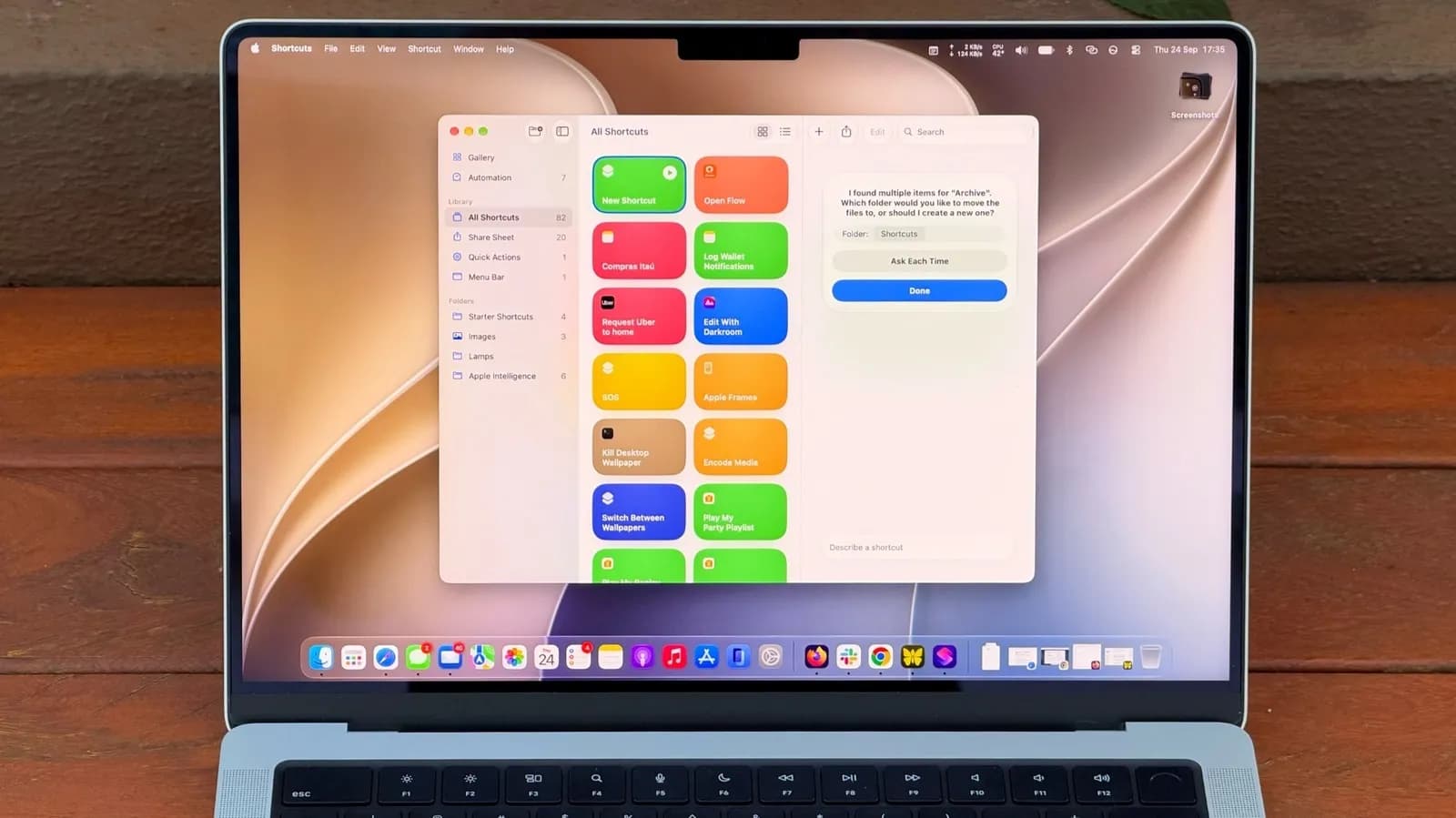
Apple's continuous refinement of the Shortcuts app represents a major pivot in this philosophy, bridging the gap between low-code visual programming and advanced system control. By integrating natural language processing capabilities into macOS, the platform invites users to declare their automation intentions in plain text, translating conversational prompts into robust, executable workflows. This approach reflects a broader industry trend where human language increasingly serves as the primary interface for complex computational tasks.
How Natural Language Scripting Works Under the Hood
At its core, the new natural language automation layer acts as a sophisticated semantic parser that sits on top of the established Shortcuts framework. When a user describes a desired workflow—such as aggregating specific project files, processing them via a local script, and deploying the output to a remote server—the system analyzes the intent, maps the requested actions to available system APIs, and constructs the corresponding sequence of blocks.
This underlying engine leverages a blend of on-device machine learning models and structured prompt translation to ensure that the resulting shortcuts are both accurate and secure. Rather than blindly executing arbitrary code, the parser constrains the generated workflow within the safe boundaries of the Shortcuts sandbox. Developers benefit from this architecture because it dramatically accelerates the prototyping phase of complex automation pipelines, allowing them to test multi-step sequences through conversational iteration before refining the individual actions manually.
Why This Matters for Software Developers and Power Users
Software engineers spend a significant portion of their workdays orchestrating environments, managing local development servers, handling asset pipelines, and synchronizing codebases across multiple directories. While CLI tools and Makefiles handle a large share of these responsibilities, configuring cross-application integrations—like pulling data from a web service, parsing JSON, and updating a local database—often requires writing boilerplate glue code in Python or Node.js.
Shortcuts alters this calculus by providing a native, highly integrated canvas where macOS system events, shell commands, and third-party app intents can be chained together seamlessly. Natural language entry removes the friction of searching through hundreds of discrete actions in the sidebar. Instead of hunting for the exact parameter configuration to trigger a terminal command or manipulate a file path, engineers can simply state what they want to achieve, review the generated automation logic, and deploy it instantly across their workstation.
Bridging the Gap Between GUI and CLI
The eternal debate in developer ergonomics usually centers around Graphical User Interfaces versus Command Line Interfaces. GUIs offer discoverability and visual feedback, while CLIs offer speed, scriptability, and precision. Shortcuts attempts to synthesize the best of both worlds by acting as a visual wrapper that can execute raw shell scripts, interact with Unix utilities, and pipe data directly into terminal windows.
With the introduction of conversational generation, this integration becomes even more fluid. Developers can blend traditional terminal commands with native macOS features—such as triggering a notification banner when a long-running build finishes, or resizing windows into a specific multi-monitor layout right before a debugging session. This reduces context switching, keeping engineers in a state of flow rather than forcing them to manually manage window arrangements and repetitive command invocations.
Security, Sandboxing, and Execution Boundaries
Whenever an operating system introduces features that parse natural language to execute system-level actions, questions around security and execution boundaries naturally arise. Automating tasks on a developer machine involves granting permissions to read files, execute binaries, modify network configurations, and interact with sensitive credentials stored in the keychain.
Apple's implementation maintains strict sandboxing constraints, ensuring that conversational shortcuts cannot execute arbitrary, unrestricted system changes without explicit user authorization and proper entitlement checks. Furthermore, because many of these parsing routines can operate locally on-device depending on the hardware configuration, proprietary codebases and sensitive enterprise credentials remain protected from unnecessary cloud exposure. Developers auditing these workflows can inspect every individual step of a generated shortcut, maintaining full transparency and control over what their machine is executing.
The Future of Desktop Workflow Optimization
The integration of natural language capabilities into desktop automation tools marks a significant milestone in how we interact with personal computing environments. As these semantic translation models become faster, more context-aware, and deeply integrated into the operating system kernel, the boundary between writing code and configuring a workspace will continue to blur. For the developer community, this means less time spent wrestling with bespoke automation scripts and more bandwidth dedicated to core software engineering challenges.
Ultimately, the democratization of automation through conversational prompts does not replace traditional programming paradigms; rather, it complements them. By handling the tedious boilerplate of workflow orchestration, tools like macOS Shortcuts empower engineers to build highly customized, friction-free development environments tailored precisely to their daily routines.
Source: engadget.com