
Unpacking the eGPU Reality: Performance Bottlenecks, Cost, and Developer Trade-Offs

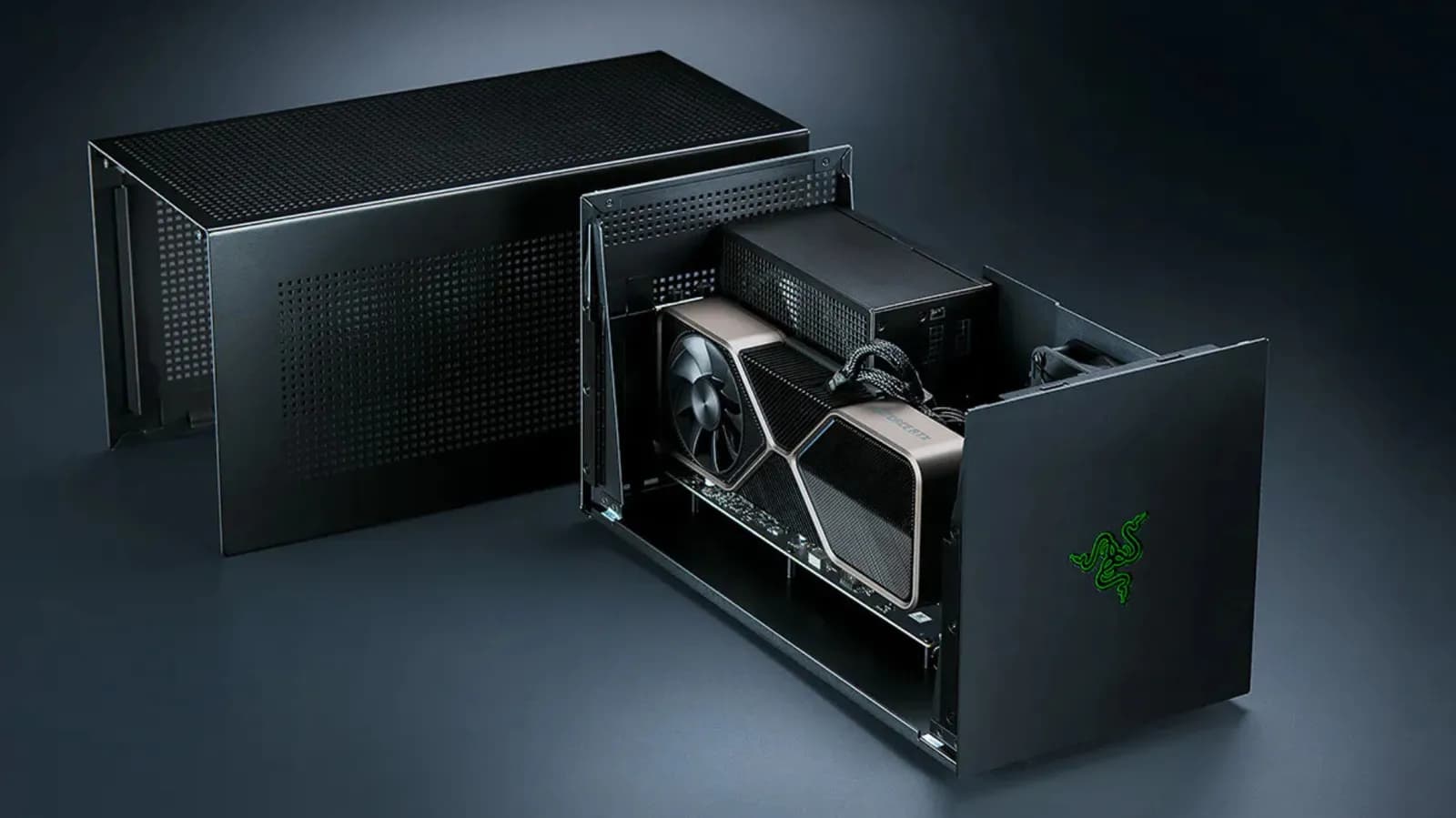
The Allure of the External Graphics Dock
For years, the concept of the external GPU (eGPU) has served as an enticing promise for power users, creative professionals, and software developers alike. The pitch is remarkably seductive: take a sleek, highly portable laptop, connect a single Thunderbolt or high-bandwidth cable to an external enclosure housing a desktop-class graphics card, and instantly transform your mobile workstation into a heavy-duty rendering rig or gaming powerhouse. For developers working on machine learning pipelines, local LLM deployment, or high-end graphics programming, avoiding the need to maintain two separate machines sounds like the ultimate productivity win.
Yet, bridging the gap between desktop-grade silicon and mobile computing architectures has never been straightforward. While hardware enthusiasts love the modularity of tinkering with enclosures, power supplies, and discrete desktop cards, the day-to-day reality of living with an eGPU setup often introduces a fresh set of frustrations. Between proprietary software quirks, physical desk clutter, and significant hardware limitations, the dream of a seamless universal workstation upgrade frequently collides with the harsh laws of computer architecture.
Understanding the Bus Bandwidth Bottleneck
At the absolute core of the eGPU limitation lies the interface connecting the external box to the host computer. Technologies like Thunderbolt have made massive strides in recent years, offering impressive theoretical transfer speeds. However, pushing heavy graphics data—such as high-res textures, geometry buffers, and massive compute tensors—back and forth across an external cable introduces latency and bandwidth constraints that simply do not exist when a GPU is wired directly to a motherboard via a PCIe slot.
This means that high-end graphics cards running inside an eGPU enclosure are almost never operating at their full potential. When running intensive computational workloads, the bus saturated state creates a strict performance ceiling. While a top-tier GPU will still outperform integrated graphics by leaps and bounds, the performance tax compared to putting that same card inside a dedicated desktop tower can be substantial. For developers compiling complex graphics shaders or training deep learning models, this invisible tax translates to wasted hardware cycles and longer wait times.
The Steep Financial Toll of the Hybrid Dream
Another major deterrent for professionals and hobbyists looking into eGPU setups is the sheer economics of the endeavor. Building or buying into an eGPU ecosystem requires a hefty upfront investment that rarely matches the performance-per-dollar ratio of alternative hardware configurations. First, you must purchase a high-end enclosure, which often costs hundreds of dollars even before you factor in the price of the actual graphics card inside. Add the cost of a modern desktop GPU, and you are quickly approaching the price of an entry-level or mid-range custom-built gaming desktop.
Furthermore, laptops equipped with the necessary high-end ports and thermal headroom to handle heavy workloads are already premium machines. Sinking additional funds into an eGPU dock instead of allocating that budget toward a dedicated desktop rig often yields diminishing returns. When factoring in depreciation and the rapid pace of hardware advancement, tying your graphics future to an external enclosure can leave you financially locked into an aging standard.
Driver Stability and Platform Fragmentation
Hardware performance is only half the battle; software reliability dictates whether a developer can actually get work done without pulling their hair out. Historically, eGPUs have occupied a strange gray zone in operating system support. While major platforms like macOS and Windows technically support external graphics hardware, the experience is rarely plug-and-play. Operating system updates can inadvertently break eGPU compatibility, leading to sudden blue screens, kernel panics, or external displays failing to wake from sleep.
For developers who rely on stable, predictable environments for coding and deployment, debugging hardware initialization issues is a frustrating distraction. Switching between integrated graphics, mobile discrete GPUs, and external desktop cards often confuses display managers and CUDA runtimes. The lack of standardized, uniform driver support across all hardware vendors means users frequently find themselves scouring forums for community-made patches and workaround scripts just to get a multi-monitor setup functioning properly.
- Operating system updates frequently introduce driver regressions for external enclosures.
- Hot-plugging stability varies wildly depending on the motherboard manufacturer and BIOS version.
- Deep learning frameworks sometimes struggle to correctly initialize CUDA contexts across external PCIe bridges.
The Verdict: When Does an eGPU Actually Make Sense?
Given the bandwidth penalties, high costs, and software fragility, it is easy to see why industry consensus often points users toward simpler alternatives. For most people—including many developers and gamers—purchasing a dedicated, budget-friendly desktop PC alongside a standard laptop is a far more reliable strategy. A separate desktop removes the single point of failure, offers uncompromised PCIe bandwidth, and allows for straightforward, modular upgrades down the road without compatibility worries.
That said, eGPUs do still serve a very specific, niche audience. If your professional workflow mandates a specific enterprise laptop issued by an employer, but you occasionally need localized burst compute or light rendering capabilities at your home desk, an eGPU provides a viable bridge. Similarly, developers working in spatial computing or specialized UI prototyping who need a secondary machine-independent graphics boost can make them work, provided they manage their performance expectations.
Navigating Future Hardware Trends
Looking ahead, the landscape of mobile computing is shifting in ways that may ultimately render traditional eGPUs obsolete. Modern unified memory architectures found in contemporary laptop chips are changing how developers think about local compute and memory bandwidth. By integrating high-speed memory directly onto the package alongside the processor and GPU cores, modern system-on-chips eliminate the traditional system bus bottlenecks that plagued external graphics solutions for decades.
As these integrated architectures become more powerful and widespread, the need to bolt a massive desktop graphics card onto a thin-and-light laptop via a tethered cable will likely fade away. Until then, anyone considering the eGPU route should proceed with eyes wide open, weighing the high financial cost and inevitable technical friction against the undeniable convenience of a single-machine workspace.
Closing Takeaway
External GPUs remain a fascinating technical feat, but they represent a compromise rather than a silver bullet for mobile power. For developers and tech enthusiasts weighing their next hardware purchase, stepping back to evaluate the total cost of ownership, driver overhead, and raw performance losses usually reveals that a traditional two-machine setup or a dedicated desktop is the more reliable and cost-effective path forward.
Source: engadget.com